Summer is right around the corner (June 21st) and I have a few DIY spring cleaning projects I want to get done before then. My first project was inspired by a visit to my old apartment. My former roommates still live there and I saw this greeting card "clothesline" that I made a long time ago. This is a place where greeting cards and photos can be displayed for all to see rather then being tucked away in a drawer, plopped on the refrigerator or recycled. It's really cute and it updates it's self based on what mail you get. When It gets full I start replacing the old with the new.
This is my refrigerator before this project:
To make this Card Line all you need are some nails (and a hammer) or pushpins, some heavy floss, embroidery floss, or hemp & mini clothes pins. Find a good space on a wall and measure about 10 inches between the placement of each Card Line. I would make 2-4 lines depending on how many cards and photos you receive. Make a little pencil X on the wall to mark where the nails will go. Hammer in your nails and then tie on the string. After your lines are hung layout all the cards and photos you have on the floor to get a feel for how you want to display them. Then, attach with mini clothes pins and you are done.
Sunday, June 16, 2013
Sunday, January 27, 2013
Identity Design - Banana Thursday
Sunday, January 20, 2013
Looking Forward to 2013 and a Look Back
Starting off the new year right is important to me. I've read a few different people's approaches to setting goals and resolutions and I've taken advice from a few different people I admire. Step one was to look at 2012 and see what I've accomplished. I called out 4 important things i did each month.
It's important to look at all you've accomplished before setting goals for the new year because it's positive reinforcement for yourself. Lets be honest, when do you really give yourself much praise? Last year my main accomplishments included starting to date my wonderful boyfriend and moving in with him, completing over 30 freelance design projects and getting a new full time job. I traveled to Crested Butte, CO, Las Vegas, NV, Tahoe, Maui, Hawaii, Santa Barbra, CA, Portland, OR, Lyndon Center, VT and Yosemite National Park. I sold my first 2 greeting cards! I learned how to wakeboard and started running.
I need to cut out some of the things in my life that are taking up my time that I don't enjoy or feel obligated to do. The biggest thing in my life that I can think of is my freelance work. From this point forward I am not taking on any freelance work because it's "extra money." I don't need the money, I have a full time job. I will only take on freelance work if it will be an asset to my portfolio in my quest to become an art director. Or if I truly enjoy the work and client. Other things that take up my time that I don't like doing are laundry, fixing/setting up computers, going to the post office, writing contracts and invoicing.
2012 was full of fun relationship things, it's been awesome. In 2013 I want to reintroduce more of the things I love into my life while still doing fun relationship things. I want to attend art shows and museum exhibits, I will run a half marathon in September. I also want to travel internationally this year.
My main goals for 2013 are:
- Save for a downpayment on a house
- Create and sell more greeting card designs
- Extend my brand and work towards becoming an art director
My phrase for 2013 is "Spend less, Create more."
Tuesday, October 23, 2012
Hand Made Holiday Ornament exchange!
I'm gearing up for the holidays! For the last 2 years I have participated in the Hand Made Holiday Ornament exchange! Cindy Ann of Blu Penny puts this on every year. This year I have a great idea for my ornaments. I can't wait to get started. You get put into groups of four people from all over the place and you get 3 new cool ornaments from the others in your group. Click on the link to find out more details, and happy crafting!
Monday, September 10, 2012
Looking for a Graphic Design Intern
Lets Face it, I need help!
This internship is for collage students or recent collage graduates. Please provide me with your portfolio, resume and a cover letter telling me why you would be a good fit for this internship and the top three types of design projects you have worked on in the past/would like to work on. Also, include your availability. email to: alisha@alishawilson.com
You will be working with me in my home office in San Mateo, CA. I am a full service
graphic design company. Please have your own computer. This is part time about 5 hours a week $10hr. www.alishawilson.com
Job responsibilities include:
- Updating my print and online portfolio
- Updating my identity and social networking channels
- Design work: logos, infographics, web design, surface pattern design, etc
- Sending out samples to my mailing list
- Helping me keep my office Pinterest worthy
- Cutting Photo Matts
- DIY Crafting Projects
- Being awesome
Basic Graphic Design Skills
- Command of typography
- Layout for print and web
Photoshop
Illustrator
Good written and verbal communication skills
Social networking
Organization
DIY
Wednesday, July 18, 2012
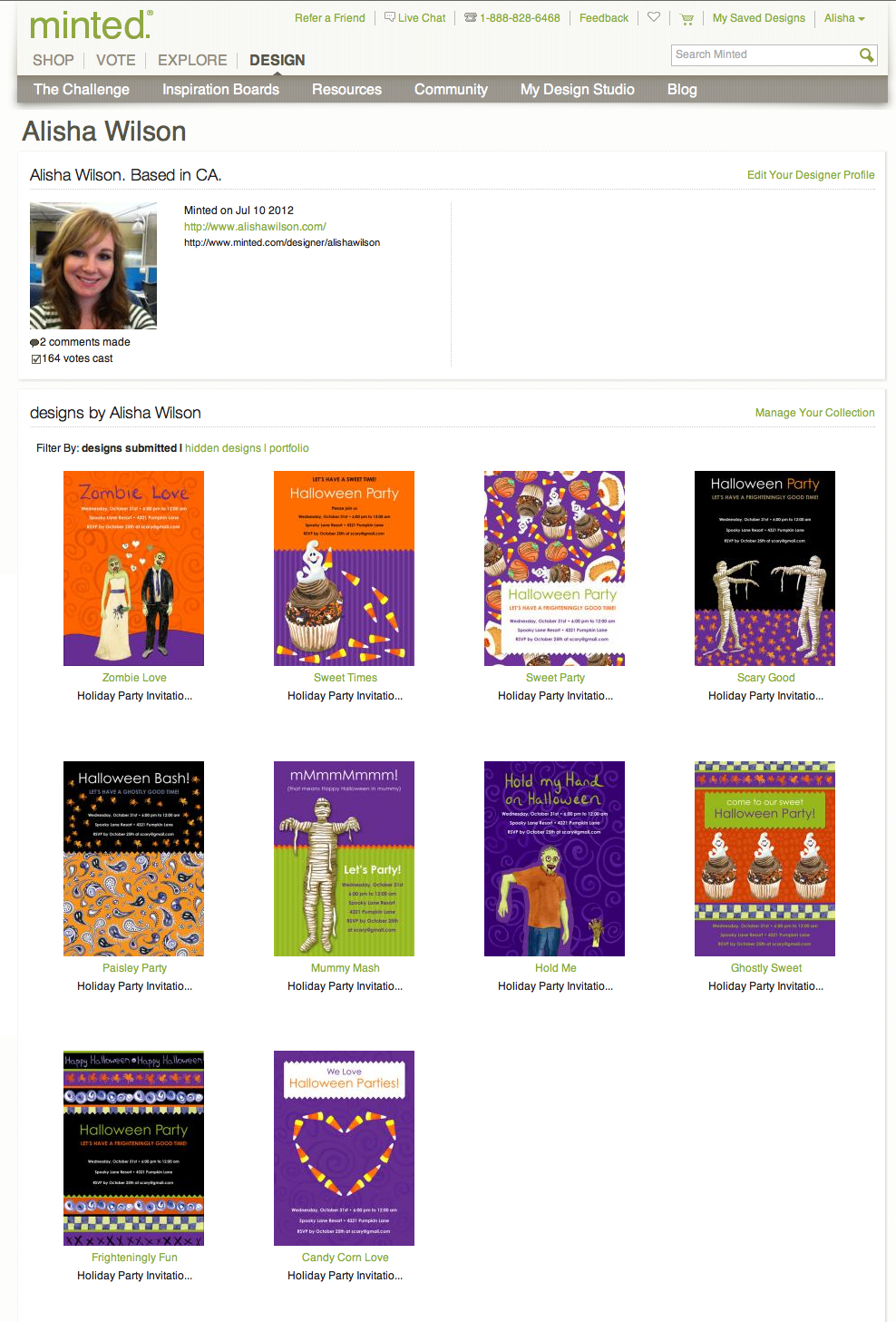
Vote for My Halloween Greeting Cards
I've been working on this collection for a while and just entered these Halloween Invitations into a contest on Minted.com please help me win by clicking on each of my designs and voting for them! You can also click the button on the right hand side of my blog. Thanks for your help!
Wednesday, January 18, 2012
Happy New Year!
Happy New Year! My designs are now available on some super cute sandals. Check them out here: sandalista.com These sandals are making me wish it was summer right now. I have a lot more to catch up on now that the holidays are over but my sandal shop was at the top of the list. I'm also updating the look of my blog, changing as always.
Sunday, November 27, 2011
Using Adobe Kuler to help create color palettes
I have known about Adobe Kuler for a while but have never used it until now. Kuler is a great color picking tool. You can start with one color or upload a picture and pick colors out of the picture to create a palette. I did this exercise to help me pick a palette for a surface pattern design I am creating. I am mostly drawn to bright jewel tones, but I tried a few different things. I really enjoyed using Kuler the interface is very smooth and intuitive and it's free. So play away! Have you used it? Do you like it? What other tools do you use to pick colors?
Labels:
adobe,
adobe kuler,
Alisha Wilson,
art licensing,
Color,
color palette,
color pallets,
Design,
picking color
Wednesday, November 16, 2011
Designing for Mobile
I recently attended an Interactive Chat: Designing for Mobile at Hot Studio. This was perfect timing for me as a designer because I recently started designing for mobile. You can see some of my mobile designs here. This talk was PACKED with useful info and resources and I wanted to share it with all of you out there in blogland.
Speakers: John Gallant & Scott Tran
What's Hot Studio working on? Here are a few of the apps that Hot Studio has worked on. Check out these apps there is some pretty solid design here.
Pop Tech
Limos.com
Zinio
Brooks Brothers
Other Apps with Good Design
LinkedIn
Jetsetter
Tweetbot
Imovie
Kayak
Design Considerations
Scanning Effect - Never feel lost in an app or website
Hands Per Device - http://www.slideshare.net/HugoMNL/hands-per-device-hpd
Design for Mobile first then other platforms next. This will keep your designs simple and focused. http://www.lukew.com/ff/entry.asp?933
Affordance – making sure there is enough space for the user to easily touch a button or hot spot with out accidently clicking on the wrong button.
Consistent Interactions – Apple has developed a set of consistent interactions throughout mobile devices. If you are going to stray from these interactions, there should be a good reason.
Content Delivery – Does my app need to be connected to the internet to work? This can interrupt user experience. Is my App gigantic due to all of the info people have to download? Will this cause users to abandon my app before it gets a chance to download?
Input Types – Mobile Forms. Make sure things are clear and there is a definite order to how you interact with input types. Put input info titles inside form boxes to save space.
Behaviors and Transitions – when you use your smartphone and you don’t get a typical user interaction it can be very confusing.
Compatibility – Make sure you know what types of devices and platforms you will be designing for.
Test and Refine – test your app or you are setting yourself up for failure. Keep your design focused and simple.
Hardware Features
Think about all of the hardware features of your devices and how you can incorporate those features into your design.
Front and Rear cameras - augmented reality, remembering, video conferencing, optical recognition,
Microphone - voice recognition, siri
Headphone - sound output
Haptic technology - sense of touch, vibrating,
Accelerometer - measuring proper acceleration
Gyroscope – measuring or maintaining orientation
GPS – Location based services, fencing (keeping a child or pet in bounds)
NFC – near field communications, used in payment such as Google wallet
Bluetooth 4 – used in payment systems
Gestures
Make sure gestures flow logically with what you are trying to design.
Common gestures: Tap, double tap, tap and hold, long hold, swipe, wipe, drag, pinch open, pinch closed, multi touch (using more then 2 fingers), flick, shaking
Web App Vs Native Apps
Where does your app exist?
Yelp has both. One on the web, and one that is only an app.
Go for simple. Web Apps typically load slower where a Native App can be faster.
Advantages to doing a Mobile Web app: it’s available because all Smartphone’s have a browser, its familiar to users, updates are quicker because you do not have to go through an app store
Advantages for Native Apps: Performance is better because info is not on the web, integration into the smartdevice hardware features ie: phone book, camera, see hardware features list
Hybrid app: Both Web and Native use, usually you can not tell this is happening.
Process and Teams
Waterfall process – User Experience, discovery sessions, project management, Engineering
What’s the great idea of the app?
What are the goals and needs for the app?
What is the environment where the app exists?
What is your device plan? What devices will you be using?
Design, prototyping,
Development, developers are a designer’s best friend
Testing and optimization
Tools for Developers
iOS Human Interface Guidelines
Mobile First by Luke Wroblewski
Wireframing tools for Interaction Designers
Visio for Microsoft
Omnigraffle for Mac
Adobe Illustrator
Adobe InDesign
Balsmaiq
Tools for Designers
Adobe Photoshop
Screen Resolutions for different devices at punchcut - http://punchcut.com/company/news/punchcut-releases-toolset-multi-screen-ui-design
For iPhone designs start designing at retina resolution then use Unretiner a Mac App, to downsize all elements from iPhone 4 to iPhone 3 resolution
Icon generation from the Mac App store. Use Iconizer to generate all of the sizes for your icon that you will need to launch your app across platforms.
LiveView Screen Caster – Easily see your designs on your mobile device or tablet. Your best friend!
Air Display – Extend your desktop wirelessly to your iPad, iPhone, iPod touch, or Mac as a wireless display
Punchcut Templates
Sketching out your ideas – no link here, put your pen or pencil to paper and draw out your ideas first
Mobile Patterns – Like Pinterest for mobile apps, good to get ideas!
Teehan + Lax
Tools for Prototyping
GoodReader – Put your files on an FTP and use GoodReader to show clients
Minimal Folio
Tools for Engineers
Xcode
iOS Simulator
App Sketch
Design a Coffee App so Zach can order and purchase the best cup of coffee. I sketched this App concept in 10 minutes at the talk. Really got me thinking.
Speakers: John Gallant & Scott Tran
What's Hot Studio working on? Here are a few of the apps that Hot Studio has worked on. Check out these apps there is some pretty solid design here.
Pop Tech
Limos.com
Zinio
Brooks Brothers
Other Apps with Good Design
Jetsetter
Tweetbot
Imovie
Kayak
Design Considerations
Scanning Effect - Never feel lost in an app or website
Hands Per Device - http://www.slideshare.net/HugoMNL/hands-per-device-hpd
Design for Mobile first then other platforms next. This will keep your designs simple and focused. http://www.lukew.com/ff/entry.asp?933
Affordance – making sure there is enough space for the user to easily touch a button or hot spot with out accidently clicking on the wrong button.
Consistent Interactions – Apple has developed a set of consistent interactions throughout mobile devices. If you are going to stray from these interactions, there should be a good reason.
Content Delivery – Does my app need to be connected to the internet to work? This can interrupt user experience. Is my App gigantic due to all of the info people have to download? Will this cause users to abandon my app before it gets a chance to download?
Input Types – Mobile Forms. Make sure things are clear and there is a definite order to how you interact with input types. Put input info titles inside form boxes to save space.
Behaviors and Transitions – when you use your smartphone and you don’t get a typical user interaction it can be very confusing.
Compatibility – Make sure you know what types of devices and platforms you will be designing for.
Test and Refine – test your app or you are setting yourself up for failure. Keep your design focused and simple.
Hardware Features
Think about all of the hardware features of your devices and how you can incorporate those features into your design.
Front and Rear cameras - augmented reality, remembering, video conferencing, optical recognition,
Microphone - voice recognition, siri
Headphone - sound output
Haptic technology - sense of touch, vibrating,
Accelerometer - measuring proper acceleration
Gyroscope – measuring or maintaining orientation
GPS – Location based services, fencing (keeping a child or pet in bounds)
NFC – near field communications, used in payment such as Google wallet
Bluetooth 4 – used in payment systems
Gestures
Make sure gestures flow logically with what you are trying to design.
Common gestures: Tap, double tap, tap and hold, long hold, swipe, wipe, drag, pinch open, pinch closed, multi touch (using more then 2 fingers), flick, shaking
Web App Vs Native Apps
Where does your app exist?
Yelp has both. One on the web, and one that is only an app.
Go for simple. Web Apps typically load slower where a Native App can be faster.
Advantages to doing a Mobile Web app: it’s available because all Smartphone’s have a browser, its familiar to users, updates are quicker because you do not have to go through an app store
Advantages for Native Apps: Performance is better because info is not on the web, integration into the smartdevice hardware features ie: phone book, camera, see hardware features list
Hybrid app: Both Web and Native use, usually you can not tell this is happening.
Process and Teams
Waterfall process – User Experience, discovery sessions, project management, Engineering
What’s the great idea of the app?
What are the goals and needs for the app?
What is the environment where the app exists?
What is your device plan? What devices will you be using?
Design, prototyping,
Development, developers are a designer’s best friend
Testing and optimization
Tools for Developers
iOS Human Interface Guidelines
Mobile First by Luke Wroblewski
Wireframing tools for Interaction Designers
Visio for Microsoft
Omnigraffle for Mac
Adobe Illustrator
Adobe InDesign
Balsmaiq
Tools for Designers
Adobe Photoshop
Screen Resolutions for different devices at punchcut - http://punchcut.com/company/news/punchcut-releases-toolset-multi-screen-ui-design
For iPhone designs start designing at retina resolution then use Unretiner a Mac App, to downsize all elements from iPhone 4 to iPhone 3 resolution
Icon generation from the Mac App store. Use Iconizer to generate all of the sizes for your icon that you will need to launch your app across platforms.
LiveView Screen Caster – Easily see your designs on your mobile device or tablet. Your best friend!
Air Display – Extend your desktop wirelessly to your iPad, iPhone, iPod touch, or Mac as a wireless display
Punchcut Templates
Sketching out your ideas – no link here, put your pen or pencil to paper and draw out your ideas first
Mobile Patterns – Like Pinterest for mobile apps, good to get ideas!
Teehan + Lax
Tools for Prototyping
GoodReader – Put your files on an FTP and use GoodReader to show clients
Minimal Folio
Tools for Engineers
Xcode
iOS Simulator
App Sketch
Design a Coffee App so Zach can order and purchase the best cup of coffee. I sketched this App concept in 10 minutes at the talk. Really got me thinking.
Monday, November 14, 2011
Wild Mushroom Surface Pattern
I went to Point Reyes on a long drive with some close friends this last weekend. I was inspired to draw some mushrooms and turned them into a surface pattern. This is a new faster style then I usually work in. I made these mostly digitally vs some hand painting and some computer work. I have some good ideas on how to combine my paintings into this style. Anyway I'm pretty pleased with these little guys. And I'm also trying to keep a better sketch book so more work to come as always.
Tuesday, November 8, 2011
30 Day Challenge - Day 10
I'm doing a 30 day challenge where I do a blog post each day for 30 days based on this 30 Day Challenge List. Feel free to do the same and send me a link to your challenge.
10. Put your music player on shuffle and write the first ten songs that play
Music inspires every aspect of my life. I just got back from the gym and was listening to the Jack Johnson Station on Pandora, now I'm listening to a mix of a little bit of everything. I feel super energized and ready to start the day. I have many exciting blog posts brewing so stay tuned, I'm back from my mini blog vacation. I'm declaring this week my new inspiration week. What has inspired you so far this week? What do you plan to do with that inspiration?
Labels:
30 Day Challenge,
Alisha Wilson,
art licensing,
inspiration,
Music
Wednesday, October 19, 2011
30 Day Challenge - Day 9
I'm doing a 30 day challenge where I do a blog post each day for 30 days based on this 30 Day Challenge List. Feel free to do the same and send me a link to your challenge.
9. How important you think education is

Matt Stevenson and I in front of our alma mater 10 years after we first met here
I started my education in pre-school at age 4, then grade school, high school, and art college. After college I continued taking classes but only classes I really wanted to take. I've taken multiple computer program classes, typography at CCA. I'm taking a Designing for Mobile class this week. I have a list of other classes I want to take and when I have time I check them off the list.
I want to take French classes and go to Paris. I want to take cooking classes, and hoop dancing class.
I think it's very important to keep learning no matter what stage of life you are in. I love learning new things and surrounding my self with other people who know more then me about things I'm interested in. Learning keeps you young and can actually help fight Alzheimer's Disease.
In a study presented at the American Academy of Neurology, researchers found that people who kept active physically or mentally through hobbies such as gardening, exercise, reading, painting, or playing board games were less likely to develop AD later in life than those who engaged in "passive" activities, like watching television.
Labels:
30 Day Challenge,
AIGA,
Alisha Wilson,
education,
MassArt,
sweetooth,
Tech Junkie
Thursday, October 6, 2011
RIP Steve Jobs
1955 – 2011.
I use Apple products every day. They make my life awesome. Yesterday was a sad day. This is a little bacon tribute to apple. I heart bacon, and I heart Apple, put them together and you have a bacon apple tribute.
Tuesday, October 4, 2011
30 Day Challenge - Day 8
I'm doing a 30 day challenge where I do a blog post each day for 30 days based on this 30 Day Challenge List. Feel free to do the same and send me a link to your challenge.
8. What you ate today
This is everything I ate today. I'm on a gluten free diet becasue I have celiac disease. All of this food is gluten free. gluten free bread, gluten free cereal. It's a challenge to eat gluten free but I've been doing it for about two years. This is why I bake gluten free goodies and write about it on my blog. I'm getting better at gluten free cooking but it was tough at first and I've made a lot of mistakes that have resulted in me getting really sick. It's pretty surprising how many different foods have wheat, barley and or rye in them. A few surprising items I have found to contain gluten are: soy sauce, fish sauce, soup base, bullion, rice crispies, cold cuts, malt balls, and malt liquor (what's the word? Thunderbird).
Labels:
30 Day Challenge,
Alisha Wilson,
Baking,
celiac disease,
Gluten Free,
Instagram,
Photos,
sweetooth
Crushing the Ninja List
I made a Ninja List to keep track of all of the wishes, goals, dreams and fun stuff I want to do in life. Today I crossed off number 47.
47. Get a French manicure with a weird color
Friday, September 30, 2011
Electronic Awakening Film Debut in San Francisco
I am very excited about this event! Music inspires every angle of my art work and life and I have loved electronic music for years! This movie is going to be off the hook! You can get tickets here. The facebook event is here. This event starts at 7:30 at Temple Night Club in San Francisco. This is a VERY cool venue. There will be speakers and DJ's. Come Join me for an amazing night of music!
Labels:
Alisha Wilson,
Electronic Awakening,
Music,
sweetooth
Friday, September 23, 2011
How to fix Fuzzy Headers in Blogger
Hi Everyone, I hope you are having a good Friday. I wanted to share a little trick I learned today. Blogger for some reason displays their banners really fuzzy. As a designer this has driven me crazy for a LONG time. But I've figured out how to fix it. I am now changing my blog header every season. Happy first day of Fall. Can you believe it?
Upload your photo/header to Photobucket. If you don't have an account, set up one it's totally free. You need this to obtain a direct link (an html address) for your photo. Click on your Image and then click on "see more" under "share this image." Next, click on the "Get Link Code" tab and copy paste the "Direct link for layout pages" code. Now you might think you can do this through sites such as flickr, etc. But it doesn't seem to work. Photobucket is the answer.
Go back to blogger, and when uploading your header, paste the direct link in the "from the web" box, instead of uploading "from my computer". Wait for the image thumbnail to load, hit Save, and your banner will no longer look like it has five day stubble.
Labels:
blogger,
bolgging,
First Day of Fall,
fuzzy blog banner,
photobucket,
sweetooth
Tuesday, September 20, 2011
30 Day Challenge - Day 7
I'm doing a 30 day challenge where I do a blog post each day for 30 days based on this 30 Day Challenge List. Feel free to do the same and send me a link to your challenge.
7. Five pet peeves
1. Messes, clutter, not replacing toilet paper on the little holder, people that don't do their dishes {punch in face}
2. When people use Papyrus and/or Comic Sans on every 5th print piece I see {fail}
3. When people show up to my Zumba class late and then stand right in the front and crowd me. To top it off they don't even know the steps even though they attend this class twice a week.
4. When non-designers try to tell me how to do my job {make it bigger and spray pain it gold!} How about, not so much.
5. People that dress their dogs up in clothes
Ha, this list is ridiculous. I like to think of my self as a tolerant person, but I think we all have things that rub us the wrong way. Any readers have weird pet peeves they want to share? Feel free to leave a comment.
Labels:
30 Day Challenge,
bad design,
comic sans,
dog clothes,
papyrus,
pet peeves,
sweetooth
Monday, September 19, 2011
30 Day Challenge - Day 6
I'm doing a 30 day challenge where I do a blog post each day for 30 days based on this 30 Day Challenge List. Feel free to do the same and send me a link to your challenge.
6. Your view on mainstream music
I like all types of music mainstream or not. {insert annoying hipster list of bands no one has ever heard of, then act shocked that the other person has never heard of them} I actually like a lot of electronic music that is definitely not mainstream. At the same time, I'll rock me some top 40's no problem. My opinion is, music is just like art: it doesn't have to be the best to be fun and enjoyable to listen to/ look at. Here are a few of my current favorite mainstream songs:
Perry - If I die Young
P!nk - Glitter in the Air
Sunday, September 18, 2011
30 Day Challenge - Day 5
I'm doing a 30 day challenge where I do a blog post each day for 30 days based on this 30 Day Challenge List. Feel free to do the same and send me a link to your challenge.
5. Things you want to say to an ex
Wow this is a hard post, and although I think I could have had a lot more colorful things to say to some of my exes all of my relationships have ended for a reason. Even if things ended in heart break or worse, I'm the type of person who forgives and forgets. It's not worth holding a grudge for 8 years because your college boyfriend cheated on you.
I have had some amazing relationships and amazing experiences because of these relationships. None of them have been the right fit or I wouldn't be single right now, but some day things will click.
Labels:
30 Day Challenge,
boyfriend,
boyfriends,
Ex,
hearts
Subscribe to:
Posts (Atom)